Disclosure: Some links in this article are affiliate links. If you buy through them, I may earn a small commission at no extra cost to you. Every plan, price and rule below comes from the providers' and Apple's or Google's own websites, checked on October 9, 2026.
Dollar amounts are approximate at $1 ≈ ¥158 (October 2026). You pay in yen. eSIM stores charge in dollars as listed; pocket Wi-Fi companies charge in yen.
Getting online in Japan is easy now: buy a data eSIM before you fly, scan a QR code, and your phone connects when you land. For a family, the question is how to set it up: should each parent get an eSIM, or can the whole family share one connection? And what about the kids’ iPad, an older phone, or a smartwatch?
Before I started writing about Tokyo, I spent years as an IT engineer, so this is the topic where I’m most comfortable going into detail. I’ve kept it practical. This guide compares the Japan eSIM plans from Airalo, Ubigi and Saily, explains the rules that trip families up (one device per eSIM, unlocked phones, hotspot limits), and shows when a pocket Wi-Fi is the better buy.
Ramen Dad’s note: Friends from abroad ask me about getting online in Japan before almost every trip. Start by deciding whether each parent gets an eSIM or the family shares one connection.
Quick answer: how should a family get data in Japan?
| Your family | My suggestion | Why |
|---|---|---|
| 2 parents with phones, kids with a Wi-Fi-only tablet | One eSIM per parent, share a hotspot with the tablet | You can split up (one parent at the playground, the other grabbing snacks) and both have maps |
| 1 main phone, everyone stays together | One bigger or unlimited eSIM plus hotspot | One plan to manage, but if that phone’s battery dies, everyone’s offline |
| Older or carrier-locked phones | Pocket Wi-Fi | eSIMs need an eSIM-capable, unlocked phone |
| Lots of devices (laptops, Switch, tablets) | Pocket Wi-Fi | Shares with up to 8–15 devices |
| Teen with their own phone | Their own eSIM | Independence, and you can still find each other |
Three rules before you buy:
- One eSIM, one device. Airalo says its eSIMs can’t be installed on several devices, and once deleted, can’t be reinstalled, even on the same phone.
- Your phone must be unlocked. If it’s locked to your carrier, a travel eSIM won’t work. Only your carrier can unlock it.
- They’re data-only. These Japan plans don’t come with a Japanese phone number. Calls go through apps.
Before buying: check whether your U.S. carrier already includes data in Japan or sells a travel pass. Apple suggests checking this first. Compare the total cost before you buy a separate plan.
Japan eSIM plans compared (October 2026)
Prices as listed on each provider’s Japan page on October 9, 2026, in US dollars. Prices can change with region and promotions.
Airalo (Japan plan “Moshi Moshi”)
| Data | 3 days | 7 days | 15 days | 30 days |
|---|---|---|---|---|
| 1 GB | $4.00 | — | — | — |
| 3 GB | $7.50 | $8.00 | — | — |
| 5 GB | — | $10.00 | $10.50 | $11.00 |
| 10 GB | — | $17.00 | $17.50 | $18.00 |
| 20 GB | — | — | $24.00 | $25.00 |
| Unlimited | $11.50 | $26.50 | $48.00 | $69.00 |
Unlimited plans are also sold for 5 days ($17.00) and 10 days ($34.50).
- Networks: SoftBank and KDDI, with 5G. Covers all of Japan, including Okinawa and Hokkaido.
- Unlimited data has a daily high-speed limit: full speed (up to 20 Mbps) for the first 3 GB each day, then 1 Mbps until the 24-hour reset.
- Starts: on first use in Japan for this plan (check the validity policy in the package details; some Airalo plans start when installed).
- Top-ups: available on many eSIMs. Each data package has its own validity period, so check the dates and top-up options in the app.
- Hotspot: allowed “as long as it is supported by your device and the network.”
Ubigi
| Plan | Price |
|---|---|
| 1 GB / 3 days | $3.50 |
| 10 GB / 7 days | $14 |
| 5 GB / 15 days | $10 |
| 10 GB / 30 days | $16.50 |
| 25 GB / 30 days | $32 |
| 50 GB / 30 days | $55 |
| Unlimited / 15 days (full speed to 30 GB, then 2 Mbps) | $39 |
- Networks: KDDI and NTT Docomo, 4G/5G.
- Hotspot: “Data sharing allowed” on every plan.
- Starts: when you arrive. Works on phones, tablets and some Windows PCs with eSIM.
Saily
| Plan | Price |
|---|---|
| 1 GB / 7 days | $3.99 |
| 3 GB / 30 days | $7.99 |
| 5 GB / 30 days | $10.99 |
| 10 GB / 30 days | $17.99 |
| 20 GB / 30 days | $24.99 |
| Unlimited / 15 days (full speed to 5 GB a day, then 1 Mbps) | $48.99 |
| Unlimited / 30 days | $71.99 |
- Networks: KDDI and SoftBank, 4G/5G.
- Hotspot: Saily says every Japan plan includes hotspot sharing.
- Starts: automatically on arrival; you have 180 days from purchase to use it.
What stands out: for a typical one- or two-week trip, the 10 GB plans land around $14–$18 at all three. The differences are the networks (Airalo and Saily use SoftBank/KDDI; Ubigi uses KDDI/Docomo) and how “unlimited” slows down.
What a 7-day trip costs a family (prices above):
| Setup | Total |
|---|---|
| Two Ubigi 10 GB / 7-day eSIMs | $28 (≈¥4,400) |
| Two Airalo 10 GB / 7-day eSIMs | $34 (≈¥5,400) |
| Two Saily 10 GB / 30-day eSIMs | $35.98 (≈¥5,700) |
| One Airalo unlimited 7-day eSIM, shared by hotspot | $26.50 (≈¥4,200) |
On these numbers, Ubigi’s 10 GB plan is the best value for a week with one eSIM per parent. For a longer stay, compare the 30-day plans from all three, not only the price per gigabyte. If the kids will share a hotspot for videos, compare the daily high-speed limits on the unlimited plans.
Airalo is one of the options above; you can check its current Japan plans here:
Check Japan eSIM plans on Yesim ↗Affiliate link. Prices and availability can change.
---One eSIM each, or share a hotspot?
Option A: one eSIM per parent (what I’d do)
Example for 7 days: two Airalo 10 GB / 7-day eSIMs = $34 (≈¥5,400), or two Ubigi 10 GB / 7-day eSIMs = $28 (≈¥4,400).
- Each parent has maps, translation and messaging, even when you split up.
- If one phone runs out of battery, the other still works.
- Either phone can share a hotspot with the kids’ tablet.
Option B: one unlimited eSIM shared by hotspot
Example: one Airalo unlimited 7-day eSIM = $26.50 (≈¥4,200).
- Convenient for a family that stays together. It isn’t always the cheapest: two fixed-data plans can cost about the same if you mainly use maps and messaging.
- The catch: Airalo’s unlimited plan slows to 1 Mbps after 3 GB a day. With two phones and a tablet streaming, you can hit that by lunchtime. Saily’s unlimited plan allows 5 GB a day at full speed; Ubigi’s 15-day unlimited allows 30 GB in total before slowing.
- The hotspot phone uses more battery. Carry a power bank.
Option C: an eSIM for a teen
Teens with their own unlocked phone can have their own small plan (a 5 GB plan is $10–$11 at Airalo or Saily). It’s the easiest way to stay in touch if you split up at a big station.
Ramen Dad’s note: Our family has a plan for staying in touch if we get separated. Whatever yours is, keep the hotspot phone charged and carry a power bank.
Will it work on our devices?
iPhones
- eSIM needs an iPhone XS, XS Max, XR or later.
- Check the lock before you go: Settings > General > About. If “No SIM restrictions” appears next to Carrier Lock, you’re fine. If not, only your carrier can unlock it, and Apple notes it can take a few days.
- US iPhone 14 and later have no SIM tray at all, so an eSIM is your only option (or a pocket Wi-Fi).
- Your home number stays on for iMessage and FaceTime; you choose the travel eSIM for mobile data.
- Avoid surprise charges: set the travel eSIM as your cellular data line and turn off data roaming on your U.S. line. Leave Allow Cellular Data Switching off so the phone doesn’t fall back to your home line’s data. Apple notes that if you keep your home line on, you might still pay roaming fees on it, so check your carrier’s international rates.
Android (Pixel)
- Google says Pixel 4 and later support eSIM. Some Pixel 3 and 3a models (depending on where they were bought) don’t.
- US Pixel 10 models are eSIM-only.
- Airalo and Ubigi both say the device must be unlocked.
Kids’ tablets
- An iPad works with a travel eSIM only if it’s a Wi-Fi + Cellular model. Most kids’ iPads are Wi-Fi only, so they connect through a parent’s hotspot or a pocket Wi-Fi. That also means the iPad goes offline as soon as it’s out of range of that hotspot, so don’t count on it for reaching a child who wanders off.
Kids’ phones and smartwatches
- A kid’s phone needs to be eSIM-capable and unlocked, just like yours. If the phone came from a carrier, check its Carrier Lock setting too.
- Apple Watch: travel eSIM providers don’t list it as a supported device, and Apple says a Watch’s international roaming is set up through your iPhone’s carrier. Don’t plan on a travel eSIM for the watch.
Ramen Dad’s note: As an ex-IT engineer, I’d check two things before you fly: that each phone is unlocked and eSIM-capable, and whether your kid’s iPad is Wi-Fi only.
When pocket Wi-Fi is the better choice
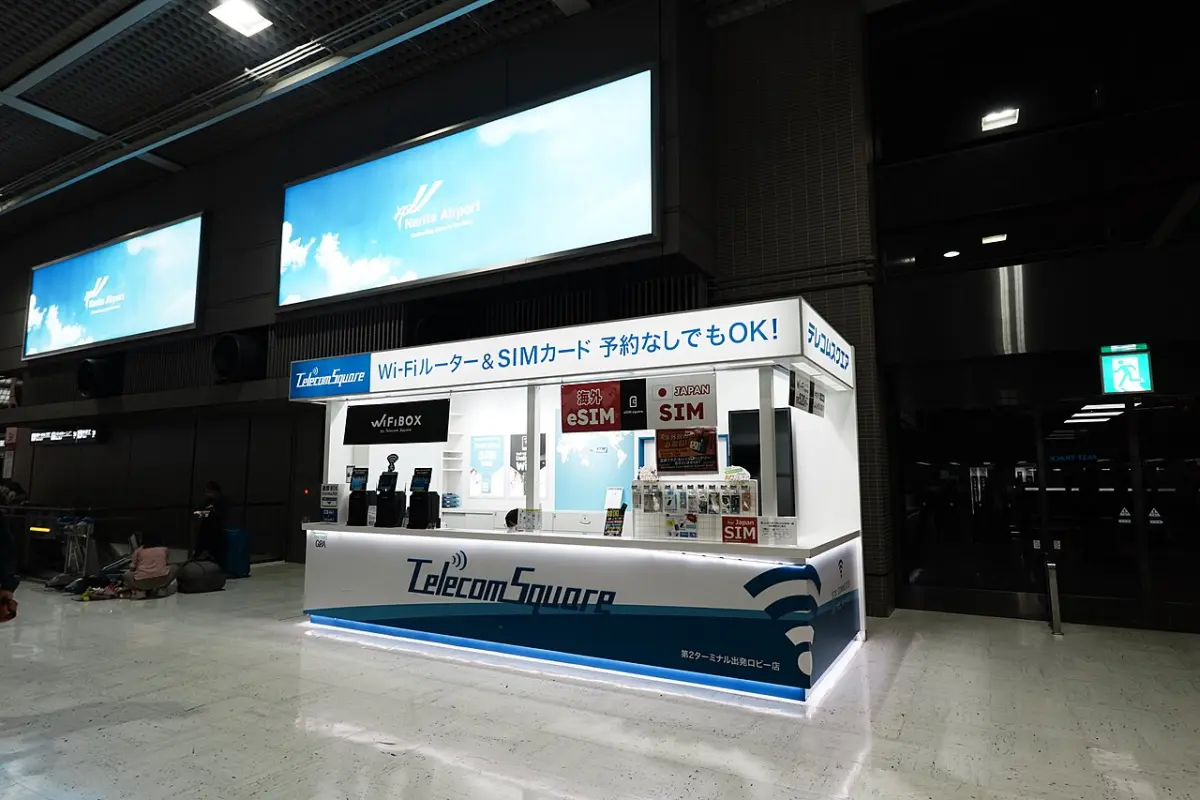
A pocket Wi-Fi is a small router you rent. Everyone connects to it, so it doesn’t matter whether your phones are locked or old.
| Provider | Price (official) | Devices | Battery | Pickup |
|---|---|---|---|---|
| NINJA WiFi | ¥440 (≈$3)/day for 1 GB/day up to ¥1,980 (≈$13)/day for no data cap (SoftBank); docomo 5G ¥2,200 (≈$14)/day; tax included | Not listed | Spare battery ¥110/day | Airports, or hotel delivery |
| Sakura Mobile | Listed at ¥9,900 (≈$63) for 7 days, ¥18,300 (≈$116) for 14 days, unlimited (docomo) | Up to 15 | 20 hours | Narita, Haneda, Kansai, Fukuoka airports, hotels, post office |
| Japan Wireless | From US$4.7/day (SoftBank) | Up to 8 | 8–10 hours, free power bank | Six airports, hotel delivery |
Example for 7 days: NINJA WiFi’s 1 GB/day plan is ¥3,080 (≈$19); its no-cap plan is ¥13,860 (≈$88). Two pocket Wi-Fi units on its 1 GB plan are ¥792/day.
Pocket Wi-Fi wins when: your phones are locked or don’t support eSIM, you have many devices, or the family will always be together.
eSIM wins when: you’ll split up, you don’t want another gadget to charge and return, and your phones are unlocked.
Parent tip: a pocket Wi-Fi is one more device to carry, charge, keep track of and return. NINJA WiFi lists a ¥40,000 (≈$253) charge for a lost router. Check the pickup and return locations before booking, especially if you land late or leave from a different airport.
If you’d rather compare pocket Wi-Fi and SIM options in one place, there’s a Klook page for Japan:
Compare Japan pocket Wi-Fi on Klook ↗Affiliate link. Prices and availability can change.
---Free Wi-Fi as a backup
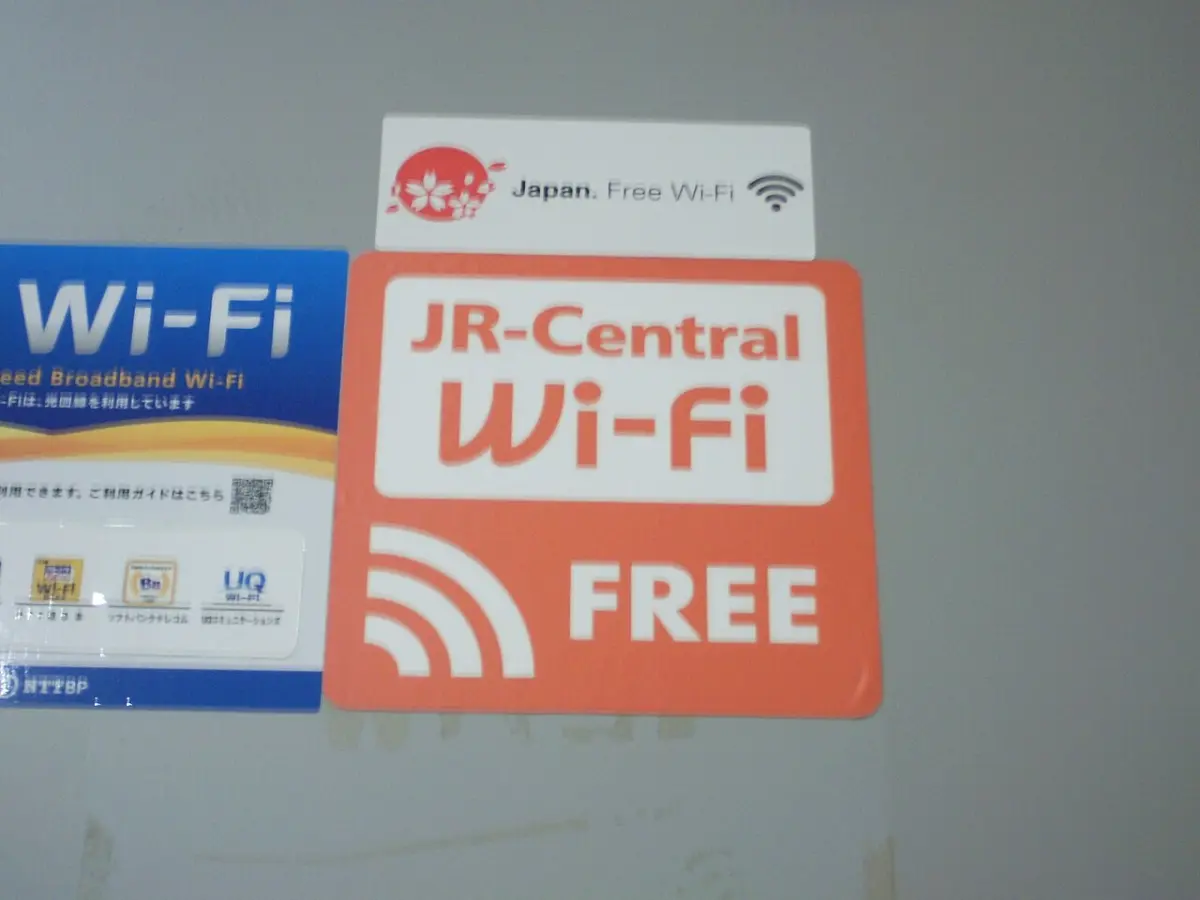
Japan’s tourism agency runs the Japan.Free Wi-Fi sign and a spot search site for free Wi-Fi aimed at visitors. Most spots ask you to register with an email or app first, so set it up before you need it. Public Wi-Fi is useful in a pinch, but I wouldn’t rely on it as your family’s main connection. For a late-night arrival, you’ll want working data before you leave the airport; see my guide to landing at Narita after 10 p.m..
Setting it up: step by step
- A few days before: check that each phone is unlocked and eSIM-capable.
- Buy the eSIMs and install them at home on stable Wi-Fi, as Airalo advises. Check each plan’s validity policy first: most start when they connect in Japan, but some start as soon as they’re installed.
- Label the eSIM in your phone settings (e.g., “Japan data”).
- On landing: switch mobile data to the travel eSIM and turn on data roaming for that line (Airalo’s setup notes require it). Leave your home line’s roaming off if you want to avoid charges from your carrier.
- Turn on your hotspot and connect the kids’ tablet.
- Don’t delete the eSIM until the trip is over, even while troubleshooting. Airalo doesn’t allow reinstalling an eSIM after it’s deleted.
FAQ from parents
“How much data does a family need?” There’s no official answer. As a rough starting point (my planning number, not a provider’s), I’d budget about 10 GB per adult for a week if you use hotel Wi-Fi at night. Video is what eats data, so if your kids watch videos on the go, choose a larger plan or one with generous high-speed data.
“Can we share one eSIM between two phones?” No. One eSIM goes on one device. Share it through a hotspot instead.
“Will we get a Japanese phone number?” Not with these Japan data plans. Use messaging apps for calls. Saily offers an add-on US number, but not a Japanese one.
“Will I still get verification texts from my U.S. bank?” The travel eSIM is data-only, so it won’t receive regular texts. Texts reach you only if your U.S. line stays on and your carrier supports that abroad, and Apple notes your home line might still charge roaming fees. Check with your carrier before you leave, and set up another verification method if your bank offers one.
“What if the eSIM doesn’t work on arrival?” Check that data roaming is on for the eSIM line and that it’s selected for mobile data. If it still won’t connect, use Wi-Fi to reach the provider’s support.
Ramen Dad’s note: We’ve traveled with a tablet for my daughter. A Wi-Fi-only iPad goes offline away from the hotspot, so download videos before you leave.
Before you fly: family data checklist
- Carrier Lock says “No SIM restrictions” on every phone you’ll use.
- Decide the setup: one eSIM per parent, one shared plan, or pocket Wi-Fi.
- Buy and install eSIMs at home on Wi-Fi; don’t delete them later.
- Pack a power bank for the hotspot phone.
- Download offline maps and the kids’ shows before you leave.
- Know your airport plan: working data before you leave arrivals, especially at night.
For the rest of trip planning, my Narita and Haneda to Tokyo hotel guide covers the first hours after you land.
Plans and prices checked on the official Airalo, Ubigi, Saily, NINJA WiFi, Sakura Mobile and Japan Wireless sites, and Apple and Google support pages, on October 9, 2026. Prices change often; confirm before you buy.